PS5 Crashing Fix — Why Your PS5 Keeps Crashing & How to Stop It
Updated March 2026 · RepairRama, Bronx NY · 5 min read
Quick answer: PS5 crashing is almost always caused by overheating (dried liquid metal), a failing power supply, or SSD corruption. Try the software fixes below first — if they don't work, your PS5 needs professional hardware repair.
Why Is My PS5 Crashing? — 5 Real Causes
🌡️ Overheating — #1 Cause
The PS5 uses liquid metal for cooling. Over time, this dries out and loses effectiveness. When temps spike during demanding games (4K gaming, FPS titles), the PS5 thermal-throttles and eventually shuts down to protect itself.
✓ Fix: Professional deep clean + liquid metal reapplication ($224.99)
⚡ Power Supply Failure
A degrading PSU can't supply stable power during GPU/CPU spikes — common in intensive 4K gaming sessions. You'll notice crashes only during demanding games like RPGs or FPS titles, not during menus.
✓ Fix: Power supply replacement ($179.99)
💾 SSD / Storage Corruption
A corrupted SSD or bad game install causes crashes specific to one game or storage errors (CE-100028-1). Often happens after a failed system update.
✓ Fix: Rebuild database in Safe Mode, or SSD diagnosis/repair ($159.99)
🔌 Software / Firmware Bug
Certain PS5 firmware updates have introduced crashing bugs. Before a hardware repair, always try the software fixes below.
✓ Fix: Try Safe Mode → Rebuild Database first
🏠 Poor Ventilation
Keeping your PS5 in a cabinet or enclosed TV stand restricts airflow. The console needs 4–6 inches of clearance on all sides.
✓ Fix: Move console to open space, stand it vertically
5 DIY Fixes to Try First
Check for System Updates
Go to Settings → System → System Software → System Software Update. Outdated firmware can cause stability issues in newer games.
Rebuild the PS5 Database
Turn off PS5 fully. Hold power for 7 seconds until you hear 2 beeps. Select 'Rebuild Database' in Safe Mode. This fixes corrupted data without deleting your saves.
Check Console Placement
Move PS5 to a well-ventilated area. Stand it vertically if horizontal. Clear dust from vents using compressed air (from outside — never blow in).
Check Storage Space
PS5 needs at least 10% free SSD space to run optimally. Delete unused games via Settings → Storage.
Test Without External SSD
If you have an M.2 expansion drive, remove it and test. Faulty M.2 drives can destabilize the system.
When to Bring Your PS5 for Repair
If you've tried all 5 fixes above and your PS5 still keeps crashing, it's a hardware issue. Here are the red flags:
- PS5 crashes during demanding 4K gaming or FPS games but not in menus
- Fan runs at jet-engine volume before crashes
- PS5 crashes in the same game regardless of reinstalling
- Console is 2+ years old and has never been cleaned
- Crashes happen randomly — even during light use like Netflix
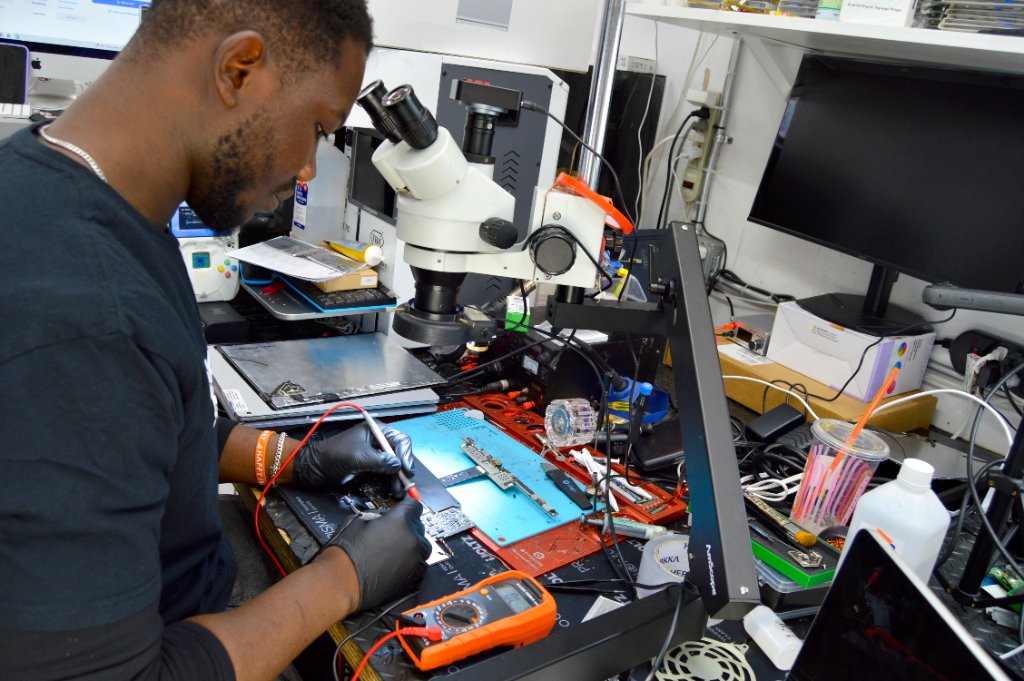
RepairRama PS5 Crashing Repair Pricing
Free Diagnostic
We identify the exact cause of your PS5 crashes
PS5 Thermal Service (Deep Clean + Liquid Metal)
Fixes overheating-related crashes — most common cause
Power Supply Replacement
Fixes random crashes during demanding games
SSD Diagnosis & Repair
Fixes crashes caused by storage corruption
PS5 Still Crashing?
Bring it to RepairRama in the Bronx — free diagnostic, same-day repair, 30-day warranty.
Related PS5 Repair Guides
PS5 Crashing Fix — Why Your PS5 Keeps Crashing & How to Stop It
Updated March 2026 · RepairRama, Bronx NY · 5 min read
Quick answer: PS5 crashing is almost always caused by overheating (dried liquid metal), a failing power supply, or SSD corruption. Try the software fixes below first — if they don't work, your PS5 needs professional hardware repair.
Why Is My PS5 Crashing? — 5 Real Causes
🌡️ Overheating — #1 Cause
The PS5 uses liquid metal for cooling. Over time, this dries out and loses effectiveness. When temps spike during demanding games (4K gaming, FPS titles), the PS5 thermal-throttles and eventually shuts down to protect itself.
✓ Fix: Professional deep clean + liquid metal reapplication ($224.99)
⚡ Power Supply Failure
A degrading PSU can't supply stable power during GPU/CPU spikes — common in intensive 4K gaming sessions. You'll notice crashes only during demanding games like RPGs or FPS titles, not during menus.
✓ Fix: Power supply replacement ($179.99)
💾 SSD / Storage Corruption
A corrupted SSD or bad game install causes crashes specific to one game or storage errors (CE-100028-1). Often happens after a failed system update.
✓ Fix: Rebuild database in Safe Mode, or SSD diagnosis/repair ($159.99)
🔌 Software / Firmware Bug
Certain PS5 firmware updates have introduced crashing bugs. Before a hardware repair, always try the software fixes below.
✓ Fix: Try Safe Mode → Rebuild Database first
🏠 Poor Ventilation
Keeping your PS5 in a cabinet or enclosed TV stand restricts airflow. The console needs 4–6 inches of clearance on all sides.
✓ Fix: Move console to open space, stand it vertically
5 DIY Fixes to Try First
Check for System Updates
Go to Settings → System → System Software → System Software Update. Outdated firmware can cause stability issues in newer games.
Rebuild the PS5 Database
Turn off PS5 fully. Hold power for 7 seconds until you hear 2 beeps. Select 'Rebuild Database' in Safe Mode. This fixes corrupted data without deleting your saves.
Check Console Placement
Move PS5 to a well-ventilated area. Stand it vertically if horizontal. Clear dust from vents using compressed air (from outside — never blow in).
Check Storage Space
PS5 needs at least 10% free SSD space to run optimally. Delete unused games via Settings → Storage.
Test Without External SSD
If you have an M.2 expansion drive, remove it and test. Faulty M.2 drives can destabilize the system.
When to Bring Your PS5 for Repair
If you've tried all 5 fixes above and your PS5 still keeps crashing, it's a hardware issue. Here are the red flags:
- PS5 crashes during demanding 4K gaming or FPS games but not in menus
- Fan runs at jet-engine volume before crashes
- PS5 crashes in the same game regardless of reinstalling
- Console is 2+ years old and has never been cleaned
- Crashes happen randomly — even during light use like Netflix
RepairRama PS5 Crashing Repair Pricing
Free Diagnostic
We identify the exact cause of your PS5 crashes
PS5 Thermal Service (Deep Clean + Liquid Metal)
Fixes overheating-related crashes — most common cause
Power Supply Replacement
Fixes random crashes during demanding games
SSD Diagnosis & Repair
Fixes crashes caused by storage corruption
PS5 Still Crashing?
Bring it to RepairRama in the Bronx — free diagnostic, same-day repair, 30-day warranty.