Xbox Series X Won't Read Disc — Complete Fix Guide
Updated March 2026 · RepairRama, Bronx NY · 5 min read
Quick answer: 90% of Xbox Series X disc read failures are caused by a dirty disc, dirty laser lens, or failed disc drive mechanism. Try the 5 DIY fixes below — if they don't work, you need a disc drive repair ($199.99).
Why Won't My Xbox Series X Read Discs? — 5 Causes
💿 Scratched or Dirty Disc
The most common cause — a fingerprint-covered or scratched disc prevents the laser from reading the game data properly. Try cleaning the disc with a soft lint-free cloth from center outward.
🔭 Dirty Laser Lens
Dust accumulation on the laser lens over months of use reduces read accuracy. This usually starts with intermittent read errors before failing completely.
⚙️ Failed Disc Drive Mechanism
The physical disc loading mechanism can jam, lose drive motor power, or develop worn gears. Symptoms: grinding noise, disc won't load/eject, or constant spinning without reading.
🔌 Loose Drive Ribbon Cable
The internal ribbon cable connecting the drive to the motherboard can loosen — especially after a drop. This causes intermittent failures or no drive recognition at all.
💾 Xbox Game Pass Conflict (Rare)
Some Xbox Series X users on Xbox Game Pass report 'Unrecognized Disc' errors due to license validation issues — not a hardware fault. Try signing out and back into Xbox Game Pass and testing.
5 DIY Fixes to Try First
Clean the Disc
Wipe the disc with a clean microfiber cloth from center to edge (not in circles). Even invisible smudges can cause read failures.
Try a Different Disc
Test with a brand-new sealed game or a disc you know works. If other discs read fine, your original disc is damaged.
Hard Reset Your Xbox
Hold the power button for 10 seconds until the console shuts off completely. Press again to restart. This clears firmware caches that can cause false disc errors.
Check for Xbox System Update
Go to Settings → System → Updates. Some disc drive firmware issues are patched in Xbox Series X system updates.
Check Xbox Game Pass License
If you play via Xbox Game Pass, sign out of your account, restart, and sign back in. Re-check your Xbox Game Pass subscription status at xbox.com.
When You Need Professional Xbox Disc Drive Repair
If the DIY fixes didn't work, the drive mechanism itself needs repair or replacement. Watch for these signs:
- Grinding or clicking sound when disc is inserted
- Disc spins continuously without reading
- Console says 'No Disc' with a disc clearly inserted
- 'Unrecognized Disc' on all discs including brand-new games
- Disc won't eject — or ejects on its own
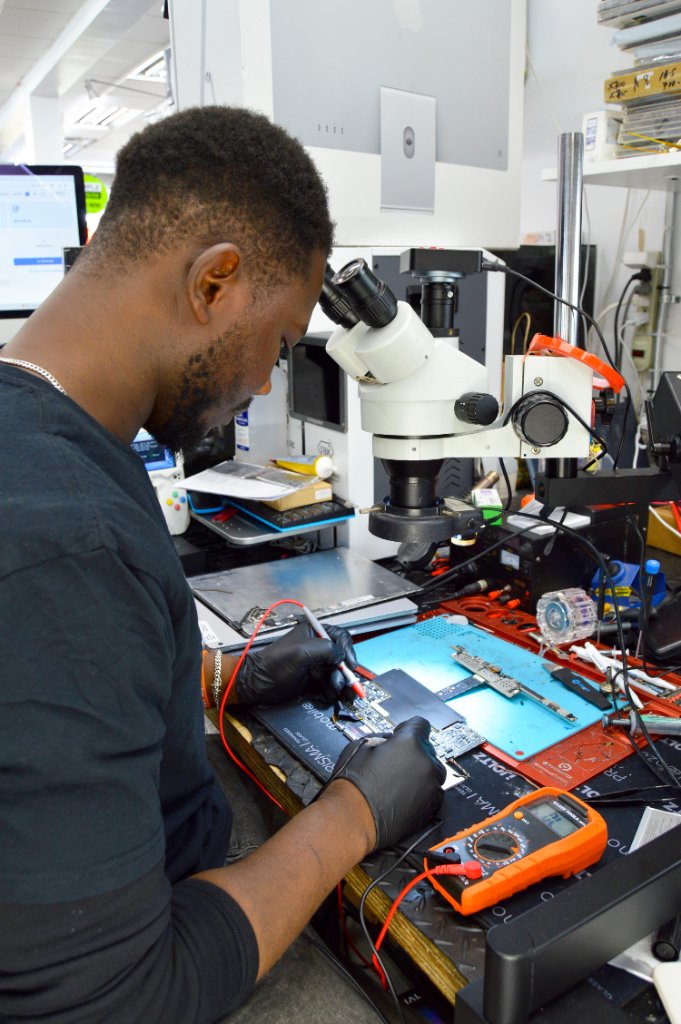
RepairRama Xbox Disc Drive Repair Pricing
Free Diagnostic
Identify exact cause of disc read failure
Xbox Disc Drive Repair / Replacement
OEM-quality drive replacement, tested, 30-day warranty
Disc Drive Cleaning
For laser lens dust / minor read issues
Xbox Still Won't Read Discs?
Bring it to RepairRama in the Bronx — free diagnostic, same-day disc drive repair, 30-day warranty.
Xbox Series X Won't Read Disc — Complete Fix Guide
Updated March 2026 · RepairRama, Bronx NY · 5 min read
Quick answer: 90% of Xbox Series X disc read failures are caused by a dirty disc, dirty laser lens, or failed disc drive mechanism. Try the 5 DIY fixes below — if they don't work, you need a disc drive repair ($199.99).
Why Won't My Xbox Series X Read Discs? — 5 Causes
💿 Scratched or Dirty Disc
The most common cause — a fingerprint-covered or scratched disc prevents the laser from reading the game data properly. Try cleaning the disc with a soft lint-free cloth from center outward.
🔭 Dirty Laser Lens
Dust accumulation on the laser lens over months of use reduces read accuracy. This usually starts with intermittent read errors before failing completely.
⚙️ Failed Disc Drive Mechanism
The physical disc loading mechanism can jam, lose drive motor power, or develop worn gears. Symptoms: grinding noise, disc won't load/eject, or constant spinning without reading.
🔌 Loose Drive Ribbon Cable
The internal ribbon cable connecting the drive to the motherboard can loosen — especially after a drop. This causes intermittent failures or no drive recognition at all.
💾 Xbox Game Pass Conflict (Rare)
Some Xbox Series X users on Xbox Game Pass report 'Unrecognized Disc' errors due to license validation issues — not a hardware fault. Try signing out and back into Xbox Game Pass and testing.
5 DIY Fixes to Try First
Clean the Disc
Wipe the disc with a clean microfiber cloth from center to edge (not in circles). Even invisible smudges can cause read failures.
Try a Different Disc
Test with a brand-new sealed game or a disc you know works. If other discs read fine, your original disc is damaged.
Hard Reset Your Xbox
Hold the power button for 10 seconds until the console shuts off completely. Press again to restart. This clears firmware caches that can cause false disc errors.
Check for Xbox System Update
Go to Settings → System → Updates. Some disc drive firmware issues are patched in Xbox Series X system updates.
Check Xbox Game Pass License
If you play via Xbox Game Pass, sign out of your account, restart, and sign back in. Re-check your Xbox Game Pass subscription status at xbox.com.
When You Need Professional Xbox Disc Drive Repair
If the DIY fixes didn't work, the drive mechanism itself needs repair or replacement. Watch for these signs:
- Grinding or clicking sound when disc is inserted
- Disc spins continuously without reading
- Console says 'No Disc' with a disc clearly inserted
- 'Unrecognized Disc' on all discs including brand-new games
- Disc won't eject — or ejects on its own
RepairRama Xbox Disc Drive Repair Pricing
Free Diagnostic
Identify exact cause of disc read failure
Xbox Disc Drive Repair / Replacement
OEM-quality drive replacement, tested, 30-day warranty
Disc Drive Cleaning
For laser lens dust / minor read issues
Xbox Still Won't Read Discs?
Bring it to RepairRama in the Bronx — free diagnostic, same-day disc drive repair, 30-day warranty.