Nintendo Switch Won't Charge — Repair or Replace?
Updated March 2026 · RepairRama, Bronx NY · 4 min read
Quick answer: Always repair over replace. A charging port fix ($79.99) or battery replacement ($69.99) costs 75% less than a new Switch ($299+). Try the 5 DIY fixes below — then come see us if needed.
Why Won't My Nintendo Switch Charge? — 5 Real Causes
🔌 Faulty Charger or Cable (Check This First)
Easy fixThe Nintendo Switch USB-C charger often fails before the console does. Test with a different Nintendo-branded or high-quality USB-C charger. Third-party cables are a common culprit.
⚡ Broken USB-C Charging Port
Repair: $79.99The most common hardware cause. The USB-C port on the bottom of the Switch is fragile and can break internally from plugging in at an angle. Symptoms: charger feels loose, orange charging light doesn't appear.
🔋 Dead / Swollen Battery
Repair: $69.99After 300–500 charge cycles, Switch batteries lose capacity. A fully dead battery won't charge at all. If your Switch runs fine plugged in but dies quickly on battery, this is your issue.
🔬 Power Management IC (M92T36 Chip) Failure
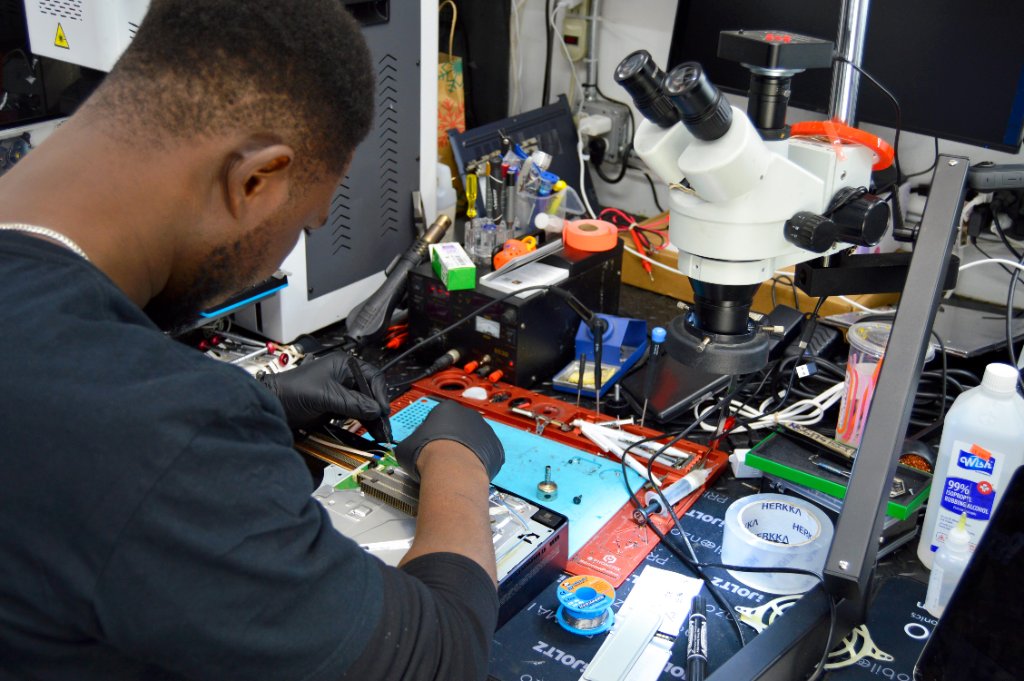
Repair: $99–$149The M92T36 is a chip on the Switch motherboard that handles all power delivery. When it fails, the Switch won't charge regardless of the charger or cable. This is a micro-soldering repair.
💧 Water / Liquid Damage
Repair: from $99Liquid contact with the charging port or motherboard causes corrosion that breaks charging circuits. If your Switch got wet before failing to charge, water damage is the likely cause.
5 DIY Fixes Before Heading to a Repair Shop
Test With a Different Charger
Use the official Nintendo Switch AC adapter or a quality USB-C charger rated at 15V/2.6A. Many phone chargers don't provide enough power.
Try Charging Via Dock
Plug the Switch into its dock with the official dock power cable. If it charges through the dock but not directly, the USB-C port may be damaged.
Let It Charge for 30 Minutes Undisturbed
A completely dead Switch battery may take 20–30 minutes of charging before the screen turns on. Leave it plugged in and come back.
Clean the USB-C Port
Use a toothpick or SIM ejector tool to gently remove any lint or debris from the USB-C port. Pocket lint is a surprisingly common cause of charging failures.
Hard Reset
Hold the power button for 12 seconds (not 3). This performs a hard reboot that can resolve rare firmware-related charging lockouts.
Repair vs. Replace — Cost Comparison
✅ Repair at RepairRama
- Charging port repair: $79.99
- Battery replacement: $69.99
- Power IC repair: $99–$149
- 30-day warranty included
- Keep your saved games
❌ Buy a New Switch
- Switch: $299.99
- Switch OLED: $349.99
- Switch Lite: $199.99
- Lose local game saves
- Lose cartridges & accessories
Switch Still Dead?
Free diagnostic at RepairRama, Bronx. Same-day charging port repair. Don't buy a new Switch — fix yours for a fraction of the price.
Related Nintendo Switch Guides
Nintendo Switch Won't Charge — Repair or Replace?
Updated March 2026 · RepairRama, Bronx NY · 4 min read
Quick answer: Always repair over replace. A charging port fix ($79.99) or battery replacement ($69.99) costs 75% less than a new Switch ($299+). Try the 5 DIY fixes below — then come see us if needed.
Why Won't My Nintendo Switch Charge? — 5 Real Causes
🔌 Faulty Charger or Cable (Check This First)
Easy fixThe Nintendo Switch USB-C charger often fails before the console does. Test with a different Nintendo-branded or high-quality USB-C charger. Third-party cables are a common culprit.
⚡ Broken USB-C Charging Port
Repair: $79.99The most common hardware cause. The USB-C port on the bottom of the Switch is fragile and can break internally from plugging in at an angle. Symptoms: charger feels loose, orange charging light doesn't appear.
🔋 Dead / Swollen Battery
Repair: $69.99After 300–500 charge cycles, Switch batteries lose capacity. A fully dead battery won't charge at all. If your Switch runs fine plugged in but dies quickly on battery, this is your issue.
🔬 Power Management IC (M92T36 Chip) Failure
Repair: $99–$149The M92T36 is a chip on the Switch motherboard that handles all power delivery. When it fails, the Switch won't charge regardless of the charger or cable. This is a micro-soldering repair.
💧 Water / Liquid Damage
Repair: from $99Liquid contact with the charging port or motherboard causes corrosion that breaks charging circuits. If your Switch got wet before failing to charge, water damage is the likely cause.
5 DIY Fixes Before Heading to a Repair Shop
Test With a Different Charger
Use the official Nintendo Switch AC adapter or a quality USB-C charger rated at 15V/2.6A. Many phone chargers don't provide enough power.
Try Charging Via Dock
Plug the Switch into its dock with the official dock power cable. If it charges through the dock but not directly, the USB-C port may be damaged.
Let It Charge for 30 Minutes Undisturbed
A completely dead Switch battery may take 20–30 minutes of charging before the screen turns on. Leave it plugged in and come back.
Clean the USB-C Port
Use a toothpick or SIM ejector tool to gently remove any lint or debris from the USB-C port. Pocket lint is a surprisingly common cause of charging failures.
Hard Reset
Hold the power button for 12 seconds (not 3). This performs a hard reboot that can resolve rare firmware-related charging lockouts.
Repair vs. Replace — Cost Comparison
✅ Repair at RepairRama
- Charging port repair: $79.99
- Battery replacement: $69.99
- Power IC repair: $99–$149
- 30-day warranty included
- Keep your saved games
❌ Buy a New Switch
- Switch: $299.99
- Switch OLED: $349.99
- Switch Lite: $199.99
- Lose local game saves
- Lose cartridges & accessories
Switch Still Dead?
Free diagnostic at RepairRama, Bronx. Same-day charging port repair. Don't buy a new Switch — fix yours for a fraction of the price.